|
Getting your Trinity Audio player ready... |
CSS cursor types define how the mouse pointer appears when it hovers over an element. They play a small but critical role in usability. A well-chosen cursor instantly tells users whether an element is clickable, editable, draggable, disabled, or interactive in some other way.
This guide explains the most commonly used CSS cursor values, when to use them, and how they improve user experience in real-world interfaces.

CSS Cursor Syntax
The cursor property is applied to any HTML element using CSS.
cursor: value;
You can apply it on hover, on specific states (like :disabled), or directly on elements.
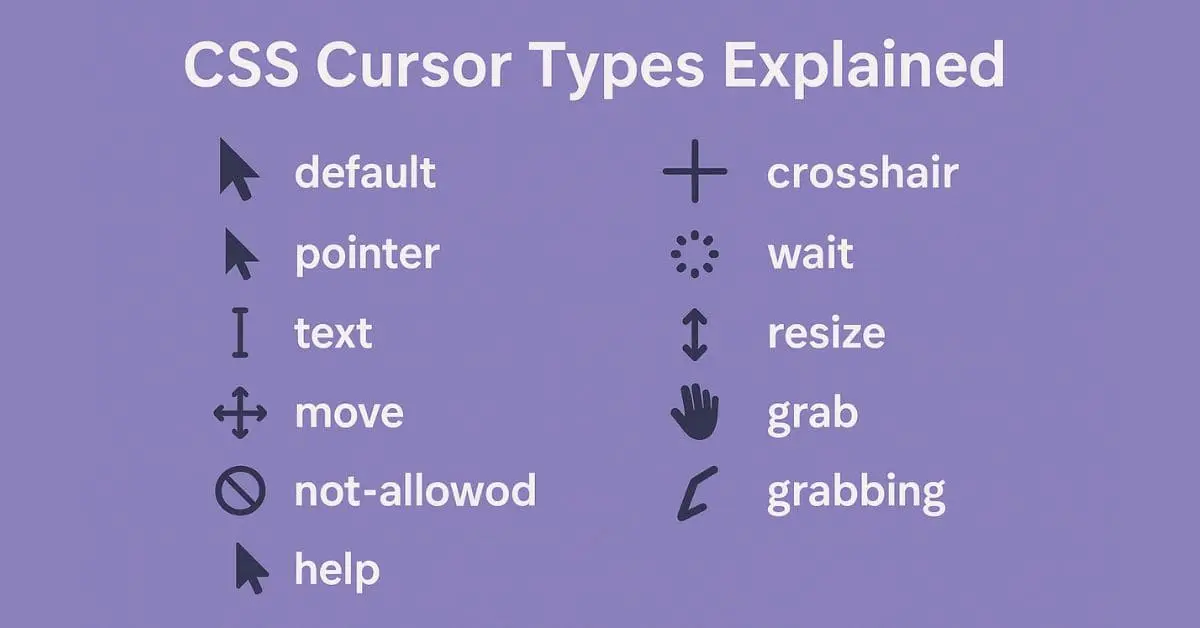
Common CSS Cursor Types
default
The browser’s default cursor. In most cases, this is the standard arrow pointer. Use it when no special interaction is expected.
cursor: default;
pointer
The pointer cursor indicates that an element is clickable. It is commonly used for links, buttons, icons, and interactive UI components. Users strongly associate this cursor with click actions.
Learn more about the pointer cursor here: CSS cursor pointer
button:hover {
  cursor: pointer;
}
text
The text cursor appears as an I-beam. It signals that text can be selected or edited. This cursor should always be used for input fields, textareas, and editable content areas.
Official reference for the text cursor: CSS cursor text
input, textarea {
  cursor: text;
}
move
The move cursor indicates that an element can be repositioned. It is often used in drag-and-drop layouts, dashboards, and UI builders.
.draggable {
  cursor: move;
}
grab
The grab cursor shows that an element can be dragged. It is commonly paired with grabbing when the drag action is active. This improves visual feedback during drag-and-drop interactions.
Official reference for the grab cursor: CSS cursor grab
.card {
  cursor: grab;
}
not-allowed
The not-allowed cursor indicates that an action is disabled or forbidden. It is widely used for disabled buttons, restricted actions, or unavailable features.
Official reference for the not-allowed cursor: CSS cursor not-allowed
button:disabled {
  cursor: not-allowed;
}
zoom-in
The zoom-in cursor signals that clicking will enlarge content. It is typically used on images, maps, charts, or media previews.
Official reference for the zoom-in cursor: CSS cursor zoom-in
.image {
  cursor: zoom-in;
}
When to Use CSS Cursor
- Improve clarity of user actions
- Indicate clickable, draggable, or editable elements
- Communicate disabled or restricted states
- Enhance accessibility and UX without extra text
Browser Support
All modern browsers fully support standard CSS cursor values. Custom cursors are also supported but should be optimized for size and performance.
CSS Cursor Types Table
| Cursor Value | Purpose | Common Use Case |
|---|---|---|
default | Standard arrow cursor | Normal UI elements |
pointer | Indicates click action | Buttons, links |
text | Text selection cursor | Input fields, text areas |
move | Element can be moved | Draggable layouts |
grab | Element can be dragged | Drag-and-drop cards |
grabbing | Active dragging state | During drag action |
not-allowed | Action is blocked | Disabled buttons |
wait | Page is busy | Loading state |
progress | Loading but usable | Background processing |
zoom-in | Zoom action available | Images, previews |
zoom-out | Zoom out action | Zoomed content |
Conclusion
CSS cursor types may look minor, but they strongly influence how users understand and interact with a page. Using the correct cursor improves usability, reduces confusion, and makes interfaces feel intuitive and professional.
FAQ
What is the CSS cursor property?
The CSS cursor property controls how the mouse pointer appears when hovering over an element. It helps users understand whether an element is clickable, editable, draggable, or disabled.
When should I use cursor: pointer?
Use cursor: pointer only for clickable elements such as links, buttons, and interactive icons. Avoid using it on non-clickable elements to prevent user confusion.
What is the difference between grab and grabbing?
grab indicates that an element can be dragged.grabbing indicates that the element is currently being dragged. Both are commonly used in drag-and-drop interfaces.
Is cursor: not-allowed the same as disabling a button?
No. cursor: not-allowed only changes the visual cursor. To properly disable a button, you should also use the disabled attribute in HTML.
Are CSS cursor types supported in all browsers?
Yes. All modern browsers support standard CSS cursor values. Custom cursor images are also supported but should be optimized for size and performance.

Arsalan Malik is a passionate Software Engineer and the Founder of Makemychance.com. A proud CDAC-qualified developer, Arsalan specializes in full-stack web development, with expertise in technologies like Node.js, PHP, WordPress, React, and modern CSS frameworks.
He actively shares his knowledge and insights with the developer community on platforms like Dev.to and engages with professionals worldwide through LinkedIn.
Arsalan believes in building real-world projects that not only solve problems but also educate and empower users. His mission is to make technology simple, accessible, and impactful for everyone.
Join us on dev community