|
Getting your Trinity Audio player ready... |
In the world of database management, understanding how to properly use SQL commands is crucial. Among these commands, the SQL DROP TABLE statement stands out as a powerful yet straightforward tool. In this article, we will explore what the DROP TABLE statement does, its syntax, use cases, and precautions you should take to use it effectively. By the end, you’ll feel confident in implementing this command in your projects.
What is the SQL DROP TABLE Statement?
The DROP TABLE statement in SQL is used to delete an entire table from a database. Unlike the DELETE statement, which removes specific rows but retains the table structure, DROP TABLE permanently deletes the table and all the data it contains.
Note: Once a table is dropped, it cannot be recovered unless you have backups. Use this command with caution.
Syntax of DROP TABLE
The syntax for the DROP TABLE command is simple:
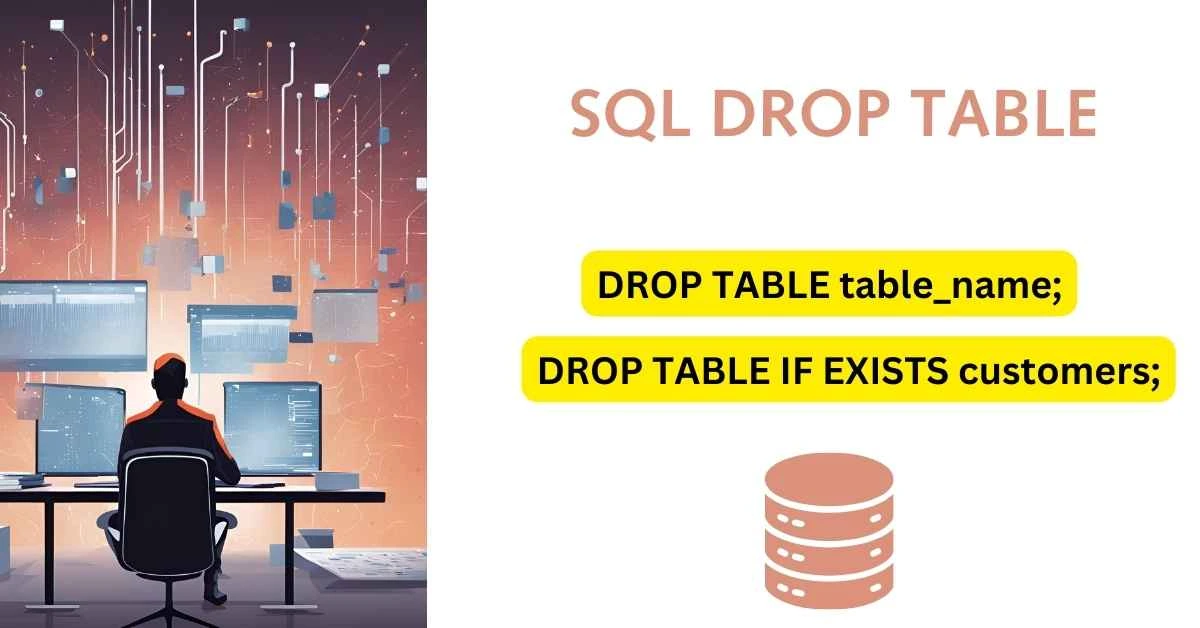
DROP TABLE table_name;Key Points:
table_name: The name of the table you want to delete.- The command is executed immediately, and the table along with its data is removed from the database.
Example Usage
Let’s look at some practical examples to understand how to use the DROP TABLE command effectively.
1. Basic Example
Suppose you have a table named customers that you no longer need:
DROP TABLE customers;This command will delete the customers table and all its data.
2. Dropping Multiple Tables
You can drop multiple tables in a single statement by separating their names with commas:
DROP TABLE customers, orders, invoices;This will delete the customers, orders, and invoices tables simultaneously.
3. IF EXISTS Clause
To avoid errors when attempting to drop a table that doesn’t exist, use the IF EXISTS clause:
DROP TABLE IF EXISTS customers;This ensures that the command runs only if the customers table exists, preventing runtime errors.
Precautions When Using DROP TABLE
The DROP TABLE statement is powerful, but with great power comes great responsibility. Here are some precautions to consider:
- Backup Your Data: Before dropping a table, ensure you have a backup of your database in case you need the data later.
- Confirm Dependencies: Check if the table is referenced by other database objects, such as views or stored procedures. Dropping a table with dependencies may cause errors.
- Test in a Safe Environment: If you’re working on a production database, test the command in a staging or development environment first.
- Use IF EXISTS: Always include the
IF EXISTSclause to avoid unexpected errors when the table doesn’t exist.
Common Mistakes and How to Avoid Them
1. Accidentally Dropping the Wrong Table
Double-check the table name in your DROP TABLE command. A small typo can lead to catastrophic data loss.
2. Ignoring Dependencies
Before dropping a table, run a query to check for any dependencies. For instance:
SELECT *
FROM information_schema.referential_constraints
WHERE referenced_table_name = 'your_table_name';
This query helps identify relationships with other tables.
Alternatives to DROP TABLE
If you don’t want to permanently delete a table, consider these alternatives:
1. Truncate Table
The TRUNCATE command removes all rows from a table but retains its structure:
TRUNCATE TABLE table_name;2. Rename the Table
Instead of dropping a table, you can rename it to keep the data for future reference:
ALTER TABLE old_table_name RENAME TO new_table_name;Final Thoughts
The SQL DROP TABLE statement is a vital tool in database management. It offers a clean way to remove unwanted tables, freeing up storage and simplifying database structure. However, its power demands careful use. Always double-check your actions and maintain backups to safeguard your data.
Have you used the DROP TABLE command in your projects? Share your experiences and tips in the comments below! For more database tutorials, visit Makemychance.com.
SQL WHERE String Contains: How to Filter Data with Substrings
Related Articles

Arsalan Malik is a passionate Software Engineer and the Founder of Makemychance.com. A proud CDAC-qualified developer, Arsalan specializes in full-stack web development, with expertise in technologies like Node.js, PHP, WordPress, React, and modern CSS frameworks.
He actively shares his knowledge and insights with the developer community on platforms like Dev.to and engages with professionals worldwide through LinkedIn.
Arsalan believes in building real-world projects that not only solve problems but also educate and empower users. His mission is to make technology simple, accessible, and impactful for everyone.
Join us on dev community